
ダウンロードの手順
smart phone スマートフォン
Step 1
保存したい画像を、個別表示にして下さい。
Please display images individually.
Step 2
ダウンロードアイコンをタップします。
Tap the download icon.
Step 3
表示された画像を長押しします。
Touch & hold the displayed image.
Step 4
メニューが表示されるので、
画像を保存をタップし保存します。
A menu is displayed.Save according to the menu.


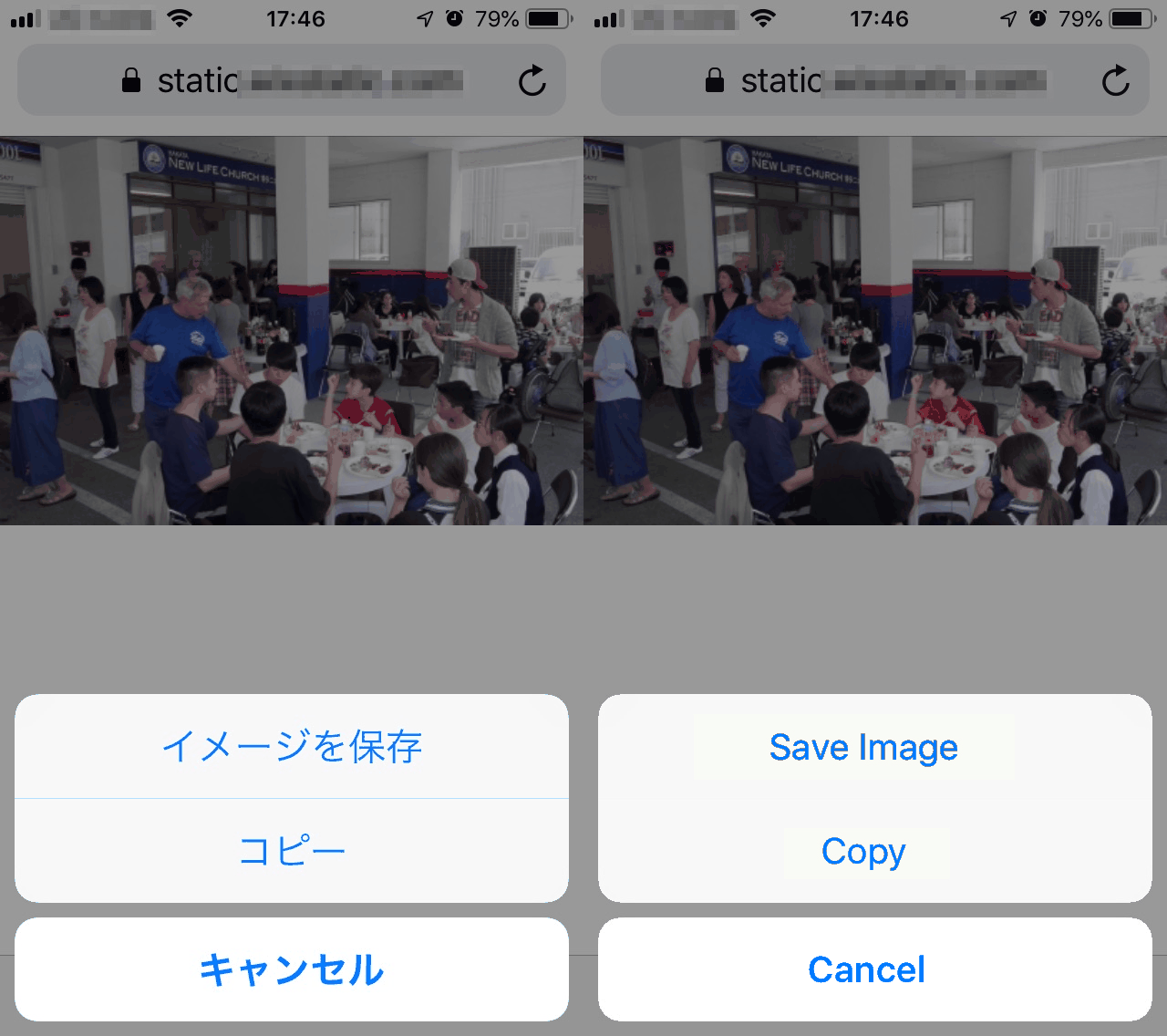
★ほとんどのスマートフォンでは、画像の長押しで、メニューを表示出来ます。
★For most smartphones, press and hold the image to display the menu.
★保存した画像は『ギャラリー』や『アルバム』などの写真を表示しているアプリに保存されています。
★Saved images are saved in photo app such as "Gallery" or "Album".
For details, please read the instruction manual of your equipment.
詳しくは、お使いの機器の取扱説明書をお読みください。
★他の人に迷惑のかからない様に、共有する場合は自己責任にてお願いいたします。
★Let's Compassionate others, please share with your own risk.
for PC パソコン
step1
保存したい画像を、個別表示にして下さい。
Please display images individually.
step2
click the download icon.
ダウンロードアイコンをクリックします。
step3
specify the save destination.
保存先を指定してください。
Individual display screen

Album page

If you want us to delete part of a movie or photo which has been shown, please talk to the church staff. With the agreement with the respective person / people, we will delete what is requested.
公開済みの動画、写真の削除を希望される場合、教会スタッフにご連絡下さい。ご本人確認の上、それに対応致します。